Honeywell Thermostat Guide: Models, Compatibility, Wiring and Installation
Choosing a Honeywell Thermostat is not just about picking the best-looking screen or the lowest price. The right thermostat must fit your HVAC system, wiring, heating and cooling stages, power setup, and the features you actually plan to use.
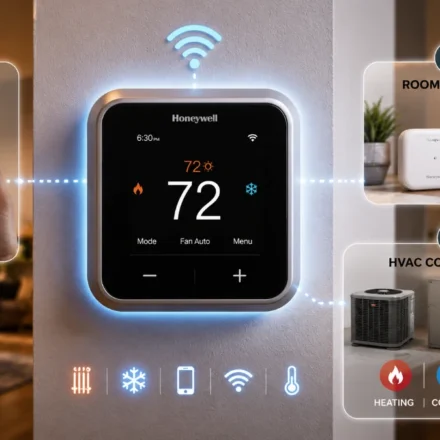
For most buyers, the best place to start is with two questions: What type of HVAC system do I have, and what do I want the thermostat to do? Once you know those answers, you can narrow the choice to a basic programmable model, a Wi-Fi thermostat, or a higher-end smart thermostat with room sensors and advanced equipment control.
Check compatibility before buying. Honeywell Home provides a thermostat wiring compatibility checker that uses your existing wiring to help identify compatible models.
Which Honeywell Thermostat Should You Buy?
Buy a basic programmable Honeywell thermostat for simple schedules, a Wi-Fi model for app-based remote control, and a premium smart model only when you need room sensors, occupancy features, multi-stage HVAC support, or broader smart-home integration.
| Model or type | Best for | Main advantage | What to verify first |
| Basic programmable thermostat | Simple daily or weekly scheduling | Lower cost and lower complexity | HVAC stages and system voltage |
| Wi-Fi smart thermostat | Remote control through an app | Scheduling and temperature changes away from home | C-wire and Wi-Fi band |
| Honeywell Home X2S | Entry-level smart control | App-connected scheduling at a lower smart-thermostat price point | System compatibility and C-wire requirement |
| Honeywell Home X7S | Modern smart-home setup | Dual-band Wi-Fi, Matter support, occupancy sensing, optional room sensors | Up to 3H/2C heat pump or 2H/2C conventional compatibility |
| Honeywell Home X8S | More complex HVAC systems | Broader stage support and room-sensor capability | Exact equipment stages, terminals, and C-wire |
| Honeywell Home T9 | Homes with uneven room temperatures | Includes a remote room sensor and supports 3H/2C systems | C-wire, sensor placement, and HVAC stages |
| T10+ Pro Smart with RedLINK | Advanced HVAC and room-by-room comfort | Professional-grade configuration, RedLINK sensors, and indoor-air-quality control | Professional installation, C-wire, accessories, and equipment type |
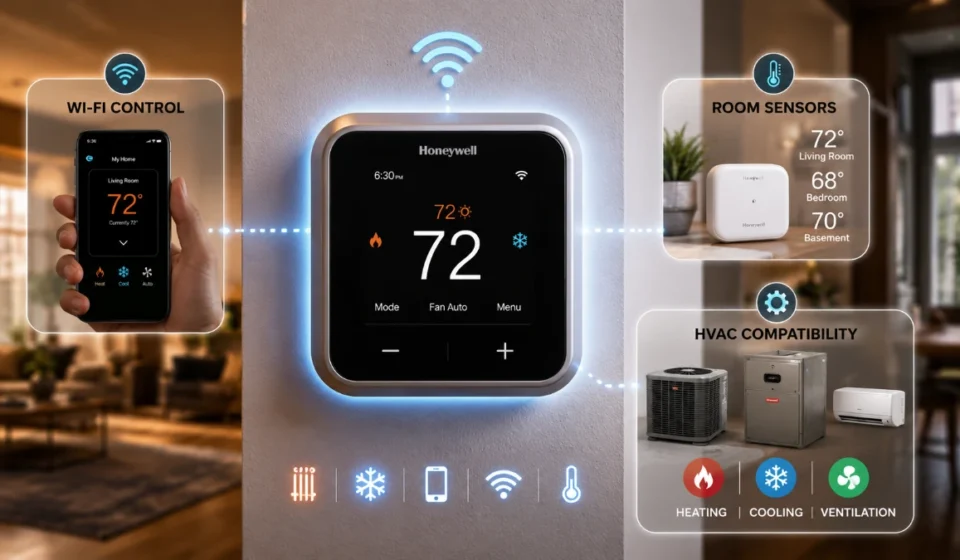
The X7S is designed for low-voltage systems up to 3 heat/2 cool heat pumps with electric backup or 2 heat/2 cool conventional systems. It requires a C-wire, supports 2.4 GHz and 5 GHz Wi-Fi, and does not work with 120–240V electric baseboard heat.
The T9 supports up to 3 heat/2 cool systems, includes a wireless room sensor and C-wire adapter, and supports both 2.4 GHz and 5 GHz Wi-Fi. The T10+ Pro uses RedLINK room sensors and supports up to 20 compatible sensors per thermostat, making it better suited to homes where room-by-room comfort and advanced control matter.
Choose by Need, Not Just Features
- Choose a basic programmable model if you want predictable scheduling and do not need phone control.
- Choose a Wi-Fi model if you want to adjust temperatures remotely, receive alerts, or use app-based schedules.
- Choose a room-sensor model if bedrooms, upper floors, or occupied rooms regularly run warmer or cooler than the thermostat location.
- Choose a pro-grade model if you have a multi-stage heat pump, zoning, humidification, dehumidification, ventilation equipment, or more complex controls.
How Much Does a Honeywell Thermostat Cost?
Honeywell thermostat pricing ranges from lower-cost programmable units to premium smart models around $200–$260 or more before installation. The final cost depends on system complexity, included sensors, and whether an HVAC professional is needed.
| Cost category | Typical value proposition | What can raise the price |
| Basic programmable | Simple scheduling without smart features | More stages, touchscreen controls, pro-only model lines |
| Entry-level Wi-Fi smart | Remote app control and connected schedules | C-wire work, advanced display, voice/smart-home features |
| Smart thermostat with sensor | Better comfort in rooms away from the wall thermostat | Included or additional room sensors |
| Premium smart or pro-grade | Advanced HVAC control, sensors, IAQ support | Multi-stage equipment, RedLINK accessories, professional setup |
| Professional installation | Wiring verification and configuration | Heat pumps, zoning, boiler controls, adapters, or inaccessible equipment |
For current examples, the official Honeywell Store lists the X2S smart thermostat at $84.99, the T9 Smart Thermostat with Remote Room Sensor at $209.99, and the X8S Smart Thermostat with Room Sensor at $259.99 at the time checked. Retail prices, promotions, and availability can change, so treat these as current examples rather than permanent price points.
Is a More Expensive Honeywell Thermostat Worth It?
A premium model is worth paying for only when its extra control solves a real comfort or system-management problem.
Room sensors can be valuable when the thermostat is located in a hallway, but the bedroom, nursery, home office, or upstairs area is the room that matters most. Advanced models can also make sense for multi-stage equipment, heat pumps with auxiliary heat, humidity management, or homes that benefit from occupancy-aware settings.
If your system is a simple single-stage furnace and air conditioner, a sophisticated smart thermostat may add convenience but not necessarily a meaningful comfort advantage. Paying for capability your HVAC system cannot use is rarely good value.
What Makes a Honeywell Thermostat Compatible?
Thermostat compatibility is not determined by the number of wires alone. Two homes may each have five thermostat wires but use them differently. What matters is where each wire is connected and what the HVAC equipment requires.
Honeywell Home says wire colors are not standardized and recommends identifying conductors by terminal labels, not insulation color. Common labels include R, C, Y, Y2, G, W, W2, O/B, AUX, E, and U.
Compatibility Checklist
Before buying, confirm the following.
| Question | Why it matters |
| Is the system low-voltage? | Retail smart thermostats generally require compatible 24V low-voltage controls |
| Conventional system or heat pump? | Heat pumps use different control logic and may need O/B, AUX, or E terminals |
| How many heating and cooling stages? | The thermostat must support the installed equipment stages |
| Is a C-wire available? | Many Wi-Fi thermostats need constant power |
| Is auxiliary heat present? | Important for heat-pump configuration |
| Are accessories connected? | Humidifiers, dehumidifiers, and ventilation may need compatible terminals and controls |
| Is zoning installed? | Zoning can require specialized controls or professional setup |
| What Wi-Fi bands are supported? | Network compatibility differs by thermostat model |
| Which smart-home platform is required? | Integrations differ between models |
If you cannot answer these questions, do not buy based only on appearance, online ratings, or a feature list.
Identify Your HVAC System First
The first installation question is not, “Where does the blue wire go?” It is, “What system am I controlling?”
Conventional Heating and Cooling
A conventional setup typically uses a furnace for heating and a central air conditioner for cooling. Depending on the equipment, it may have one or more heating and cooling stages. The thermostat must support the stage count installed in the home.
Heat Pump Systems
Heat pumps need extra attention because the compressor can operate in both heating and cooling. Thermostat control may involve compressor stages, an O/B reversing valve, auxiliary heat, emergency heat, and backup-heat staging.
An incorrectly configured heat-pump thermostat can create confusing behavior even when the wires are physically connected correctly. Confirm the O/B setting and the number of stages in the installation guide for your exact system.
Radiant and Boiler Systems
Some Honeywell Home models support compatible radiant or hot-water systems, but compatibility is model-specific. A thermostat that works with a forced-air furnace does not automatically support every boiler or radiant configuration.
High-Voltage Electric Heat
Line-voltage electric baseboard heat is an important exception. Thick electrical conductors can indicate a high-voltage system rather than a 24V thermostat circuit. The X7S, for example, specifically excludes 120–240V electric baseboard heat.
If you see thick electrical conductors instead of typical low-voltage thermostat cable, stop and verify the system before buying or wiring a retail smart thermostat.
Understand the C-Wire
The C-wire, or common wire, provides a continuous 24V power path for many connected thermostats. In a typical low-voltage setup, the R terminal supplies 24V power and the C terminal completes the circuit.
Many Honeywell Home Wi-Fi thermostats require a C-wire. The T9 installation guide calls for a C-wire but includes a C-wire adapter for compatible systems, while the T10+ Pro requires 24 VAC C-wire power and offers an adapter path only for specified wiring situations. Always check the manual for the exact thermostat model.
What If You Do Not Have a C-Wire?
There are three common paths:
- Find an unused conductor in the thermostat cable and verify that it runs to the HVAC control board.
- Use a manufacturer-approved C-wire adapter if your thermostat and wiring configuration support one.
- Have an HVAC professional assess the system and install a proper common-wire solution.
An unused wire is only useful when it can be correctly connected at both the thermostat and the HVAC equipment. Do not connect a spare wire simply because its color seems likely to be common.
Honeywell’s C-wire adapter guidance advises checking for compatible low-voltage equipment, reviewing the thermostat manual, documenting wiring at both ends, and verifying the required R, G, Y, and W setup before using a typical adapter installation.
Do Not Guess at the C-Wire
Before changing wiring:
- Turn off HVAC power at the breaker, furnace switch, or service switch.
- Photograph the thermostat terminals and HVAC control board.
- Identify wires by terminal labels, not color.
- Check the exact model’s installation guide.
- Confirm whether the system uses one transformer or an unusual two-transformer arrangement.
If the wiring or power arrangement is unclear, professional assistance is the safer option.
How to Read Thermostat Wiring
Terminal labels are more useful than wire colors. Common functions include the following, but individual system configurations can vary.
| Terminal | Typical function |
| R / Rc / Rh | 24 VAC power |
| C | Common/continuous power return |
| Y / Y1 | First compressor or cooling stage |
| Y2 | Second compressor or cooling stage |
| G | Indoor fan |
| W / W1 | First heating stage |
| W2 | Second heating stage or auxiliary heat, depending on system |
| O/B | Heat-pump reversing valve |
| AUX / E | Auxiliary or emergency heat |
| U | Certain humidification, dehumidification, or ventilation accessories |
Honeywell Home’s wiring guidance identifies the C terminal as common and the G terminal as fan control, while its adapter guide emphasizes recording terminal letters such as R, G, Y, W, and C before disconnecting anything. These descriptions are functional references, not permission to move wires without confirming the exact thermostat and HVAC equipment.
Photograph Before Disconnecting
Take a clear picture showing every connected terminal and wire before removing the old thermostat. Then record the labels.
| Existing terminal | What to record |
| R | Connected wire and any Rc/Rh jumper |
| C | Connected wire or empty terminal |
| Y | Connected wire |
| G | Connected wire |
| W | Connected wire |
| O/B | Whether present and connected |
| AUX/E | Whether present and connected |
This simple record provides a reliable reference if something becomes unclear during installation.
Check Wi-Fi Before Installation
Smart thermostats also have network requirements. Not every model supports the same Wi-Fi bands or router standards.
For example, the X7S supports 2.4 GHz and 5 GHz Wi-Fi across 802.11ax/ac/a/b/g/n router standards. The T9 supports 2.4 GHz and 5 GHz 802.11b/g/n networks. The T10+ Pro also lists 2.4 GHz and 5 GHz compatibility. Older connected thermostats may have narrower requirements.
Why a Dual-Band Router Can Cause Confusion
If a thermostat cannot see your Wi-Fi network, do not immediately assume it is defective. Check:
- The supported frequency band for that exact thermostat.
- Network name and password.
- Signal strength at the thermostat location.
- Whether the router has a guest-network restriction.
- Internet availability.
- Router security and configuration settings.
A thermostat can be electrically compatible yet still fail to provide the connected features you bought it for if its network setup is unsupported.
Prepare for Installation in the Right Order
A reliable sequence is more useful than memorizing wire colors.
Before Touching the Wiring
- Confirm the exact thermostat model.
- Read its compatibility specifications and installation guide.
- Identify the HVAC system type.
- Photograph the existing thermostat wiring.
- Turn off HVAC power and verify the system is off.
- Confirm the C-wire or adapter requirement.
- Check equipment stages, accessories, and terminals.
- Follow the model-specific installation instructions.
Honeywell’s C-wire guidance specifically instructs users to turn off power before working, document wiring at the wall plate and control board, restore power only after reassembly, and then test heating and cooling.
When DIY Installation Is Reasonable
A straightforward compatible 24V system with clearly labeled wiring may be a reasonable DIY project for someone comfortable working with low-voltage thermostat connections.
That does not make every thermostat installation DIY-friendly.
When to Hire an HVAC Professional
Professional installation is the safer choice when the system includes:
- Heat-pump auxiliary or emergency heat.
- Multiple heating or cooling stages.
- Zoning.
- Dual-fuel equipment.
- Boiler or radiant controls.
- Humidification, dehumidification, or ventilation accessories.
- Communicating HVAC controls.
- High-voltage wiring.
- Unfamiliar or undocumented wiring.
A professional can also verify configuration after installation, which matters as much as the physical wire connections.
Test the HVAC System After Installation
Do not stop once the thermostat screen turns on. A successful installation needs functional testing.
Test the following:
- Heating.
- Cooling.
- Indoor fan.
- Heat-pump changeover, where applicable.
- Auxiliary or emergency heat, where applicable.
- Temperature response.
- Schedule and app control.
- Wi-Fi connection.
- Room sensors.
- HVAC accessories.
If the thermostat displays a heating or cooling call but the equipment does not respond, the fault may be within the HVAC system rather than the thermostat. A compressor-protection delay can also postpone cooling immediately after setup, so consult the model manual before assuming a failure.
Common Honeywell Thermostat Installation Mistakes
Assuming Wire Colors Are Standard
They are not. Identify wires by the terminal they were attached to, not by insulation color.
Buying Without Checking Stages
A one-stage thermostat is not automatically appropriate for a two-stage furnace or multi-stage heat pump. Check the thermostat’s heating/cooling stage limits against the equipment.
Treating Every C-Wire Adapter as Universal
Adapters have specific requirements. Use only the solution approved for your thermostat and HVAC configuration.
Read more: Honeywell Thermostat Guide: Models, Compatibility, Wiring and Installation
Ignoring Accessories
Humidifiers, dehumidifiers, ventilators, and other indoor-air-quality components may require dedicated terminals or advanced controls. A thermostat that handles ordinary heating and cooling may not support them.
Forgetting the Network Requirement
A thermostat can be electrically compatible but still disappoint if the Wi-Fi setup, router band, or app environment does not match the model’s requirements.
Frequently Asked Questions
How do I know if my HVAC system is compatible with a Honeywell thermostat?
Identify the system type, terminal wiring, heating and cooling stages, power arrangement, and accessories. Then compare those details with the exact thermostat’s specifications or use Honeywell Home’s wiring compatibility checker.
Does a Honeywell thermostat need a C-wire?
Many Honeywell Home Wi-Fi thermostats need continuous C-wire power. Some models, such as the T9, include a C-wire adapter for compatible systems, while others have model-specific requirements. Check the exact product manual before installation.
Can I use a Honeywell thermostat with a heat pump?
Many Honeywell Home models support heat pumps, but the thermostat must match the equipment’s number of stages, reversing-valve configuration, auxiliary heat, and emergency-heat needs. The X7S supports up to 3 heat/2 cool heat pumps with electric backup.
What do R, C, W, Y, and G mean?
They are common thermostat terminal designations for 24V power, common power return, heating, compressor/cooling, and fan functions. Exact configurations vary, so follow the installation guide for your thermostat and HVAC equipment.
Can I identify thermostat wires by color?
No. Honeywell Home advises identifying thermostat wires by their terminal connection rather than color because colors are not standardized.
Can I install a Honeywell thermostat without a C-wire?
Some compatible installations can use a manufacturer-approved C-wire adapter; others require a dedicated C-wire. An unused wire may work only if it can be connected correctly at the HVAC control board.
Why does my thermostat turn on but the HVAC system does not?
Possible causes include incorrect wiring, incorrect system configuration, equipment faults, a power/control problem, or a compressor-protection delay. If the thermostat is calling for heating or cooling but the equipment never responds, professional diagnosis may be needed.
Do Honeywell thermostats work with 5 GHz Wi-Fi?
Some current models do. The X7S, T9, and T10+ Pro list 2.4 GHz and 5 GHz support, but older models may differ. Verify the exact model before changing router settings.
Can a Honeywell thermostat control a humidifier or dehumidifier?
Some advanced models can support compatible indoor-air-quality equipment. The T10+ Pro is designed for advanced configuration and RedLINK sensor use, but accessory control must be confirmed against the exact HVAC configuration and model documentation.
When should I stop a DIY thermostat installation?
Stop when wiring is unclear, the system is high-voltage, heat-pump or zoning controls are complex, communicating equipment is involved, or you cannot confidently identify every terminal. An HVAC professional can verify both wiring and configuration.